What's in the box today.
Everything below ships in the v1.0 release candidate — working now, not promised later.
Network
Zone-based firewall
Rules speak in WAN, LAN, and custom zones instead of interface names — an abstraction built to grow with your network.
Port forwarding & NAT
Expose exactly the services you choose and nothing else, with forwards defined per zone in plain language.
First-class PPPoE
Dial your fibre or DSL login directly from Shapnet OS and retire the ISP router. No bridge-mode gymnastics, no double NAT.
DHCP + DNS built in
Static leases, local hostnames, and name resolution that works the moment a device joins the network.
Management
A web UI that respects you
Every setting managed from the browser, in an interface designed for this OS from day one — not bolted on as an afterthought.
Console installer + TUI
A guided full-screen installer assigns your WAN and LAN roles at setup, and a recovery console is always there when a browser isn't.
Configuration snapshots
Snapshot before you change, restore when you need to. Your settings live safely apart from the system itself.
Validation that thinks ahead
Every change is cross-checked against your whole setup before it lands — not just the one field you touched.
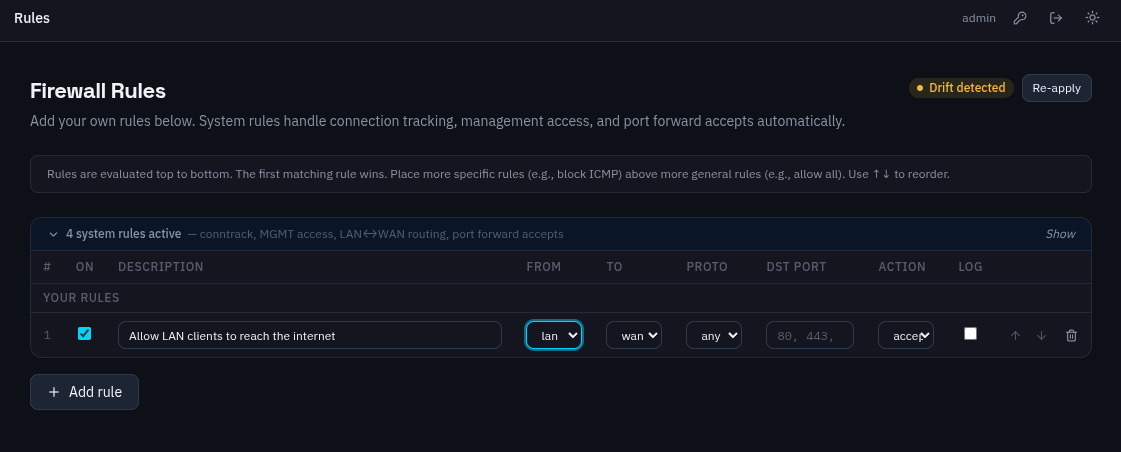 firewall — zones view, screenshot coming
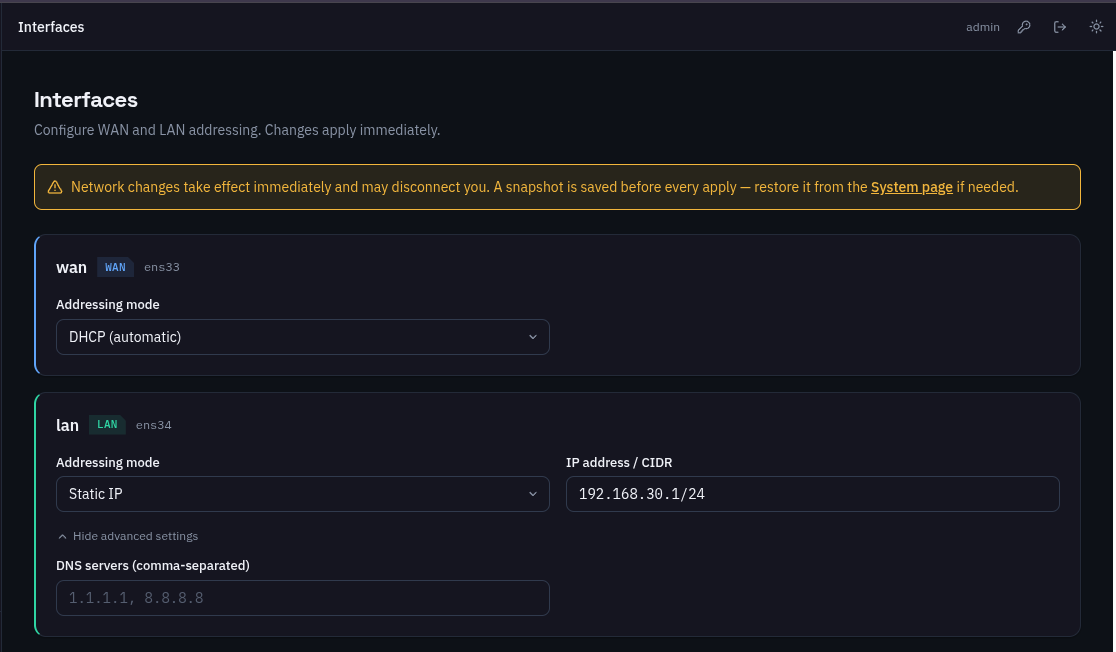 network — leases view, screenshot coming
Runs on hardware you already have.
Shapnet OS is deliberately light. An old desktop, a thin client, or a fanless mini-PC is more than enough.
- cpu
- 64-bit x86 (amd64). A low-power chip like the Intel N100 runs it with headroom to spare.
- memory
- 1 GB minimum · 2 GB or more recommended. The OS idles under 400 MB.
- storage
- 4 GB minimum · 8 GB or more recommended for logs and snapshots. The installed system itself is about 1.5 GB — any SSD, HDD, or eMMC.
- network
- 2 Ethernet ports minimum — one WAN, one LAN. A third port can be dedicated to management.
- boot
- UEFI or legacy BIOS, installed from a bootable USB stick. The same install works on either.
- virtual
- Also runs as a VM — VMware, VirtualBox, and Proxmox are supported out of the box.
These numbers are measured, not estimated: on a two-core VM with 2 GB of RAM, Shapnet OS idles under 400 MB and cold-boots to a running router in about 11 seconds.
The installer checks your hardware and tells you plainly if something is missing — no cryptic failures halfway through.
On the bench.
After the first stable release, development turns to the enterprise feature set: